

Best Free QR Code Scanner Apps in 2026: What to Actually Look For
Quick Navigation
Search "QR code scanner" on the Play Store and you'll get dozens of nearly identical-looking results. Rather than ranking specific apps (that list changes constantly, and most of it is interchangeable), here's what actually differs between them - check for these before you install anything.
Does it work offline?
Scanning a QR code shouldn't require sending anything to a server. A genuinely offline scanner decodes the code entirely on your device - faster, more private, and it keeps working with no signal. Some apps route scans through their own servers anyway (often to serve ads or log analytics); there's usually no way to tell from the listing alone, so this is worth testing in airplane mode after installing.
What permissions does it actually ask for?
A QR scanner needs camera access. That's it. If an app also wants contacts, location, storage beyond saving images, or phone state, ask why - excess permissions are usually a sign of an ad SDK or data broker bundled in, not a functional need.
Does it support more than just QR codes?
"QR scanner" apps often silently drop support for standard retail barcodes (UPC, EAN) or other 2D formats (PDF417, Data Matrix, Aztec) that show up on IDs, boarding passes, and shipping labels. If you only ever scan QR codes this doesn't matter - but it's worth checking the supported-format list before you assume "scanner" means "scans everything."
How aggressive is the ad load?
Free scanner apps need to make money somehow, and ads are the common model - reasonable in principle. The difference is in execution: a banner ad tucked into the results screen is a fair trade for a free app. A full-screen interstitial ad on every single scan is not, and is one of the most common complaints in this app category's reviews.
Does it take contextual action, or just show you text?
Scanning a WiFi QR code should offer to join the network directly. A contact card should offer to save it. A URL should open in your browser with one tap. A surprising number of scanner apps just dump the raw decoded text on screen and leave the rest to you.
What to look for, at a glance
| Check for | Typical free scanner | QRcode |
|---|---|---|
| Offline scanning | Not guaranteed | Always fully offline |
| Permissions | Often more than the camera | Camera only |
| Format support | Often QR-only | QR + 8 barcode formats |
| Ad load | Sometimes every scan | Light, no ad per scan |
| Contextual actions | Inconsistent | One-tap, every format |
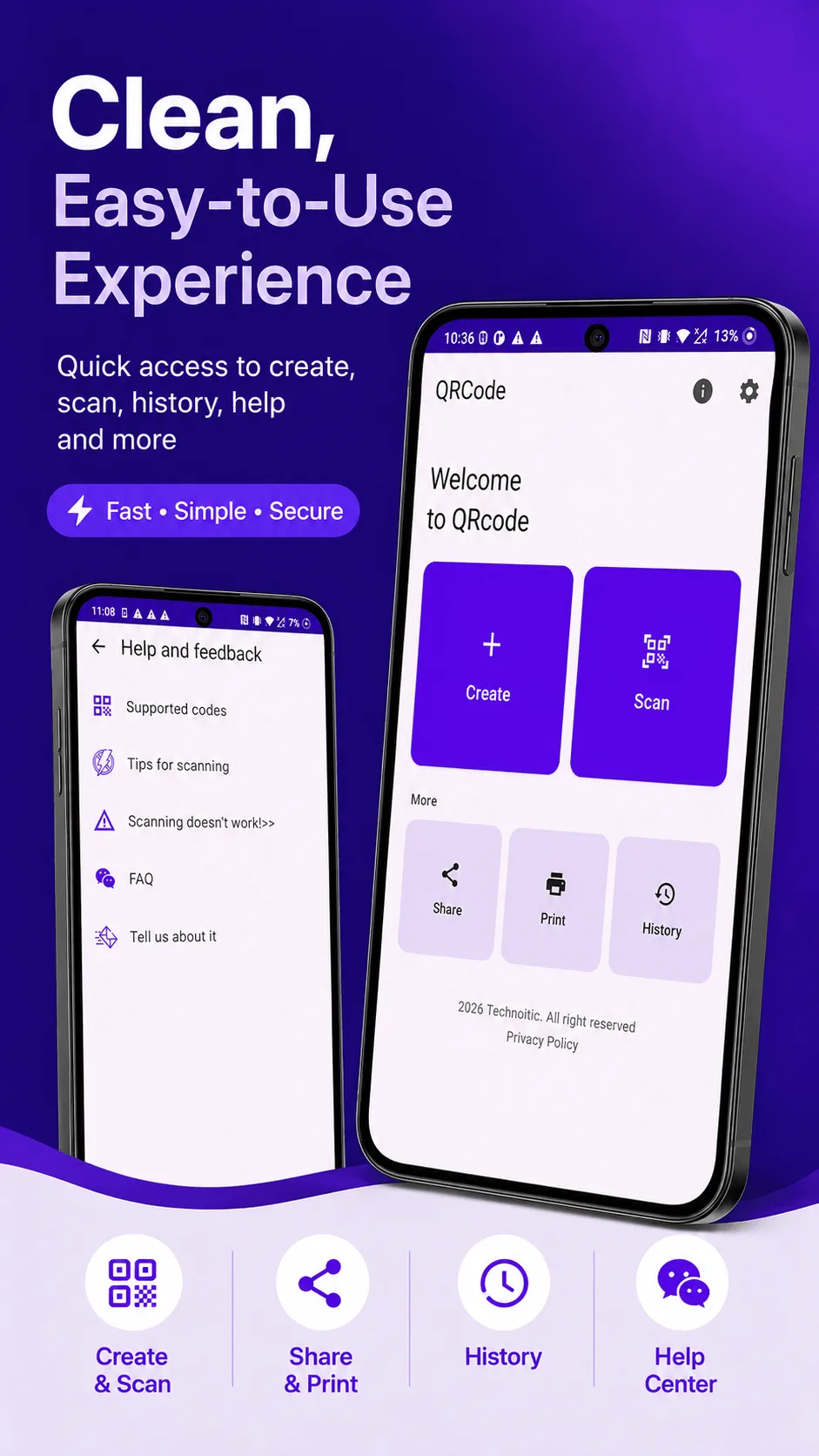
Where QRcode fits
QRcode is built around all five of the above: fully offline scanning and generation, only the camera permission, support for QR plus EAN-13, EAN-8, UPC-A, UPC-E, Code 128, PDF417, Aztec, and Data Matrix, contextual one-tap actions for WiFi/contacts/links/email, and a free tier with a light ad load - with an optional one-time Pro unlock to remove ads entirely and add custom QR colors, a logo, unlimited history, and bulk PDF export.
Get QRcode
Scan and generate any QR code or barcode, 100% offline. Free to download, no account required.
- 100% offline
- No account needed
- Free to start

FAQ
Do I need to pay for a QR scanner app? No - basic scanning shouldn't require payment in any app worth using, including QRcode. Paid tiers (where they exist) are typically for extras like ad removal or code customization, not core scanning.
Is it safe to scan a QR code from a stranger? Be cautious with QR codes in public places (stickers over other stickers, for example) - a good scanner app shows you the decoded content (like a URL) before opening it, rather than auto-loading it. Check that behavior before you scan anything from an untrusted source.