

How to Create a QR Code Business Card (vCard)
Quick Navigation
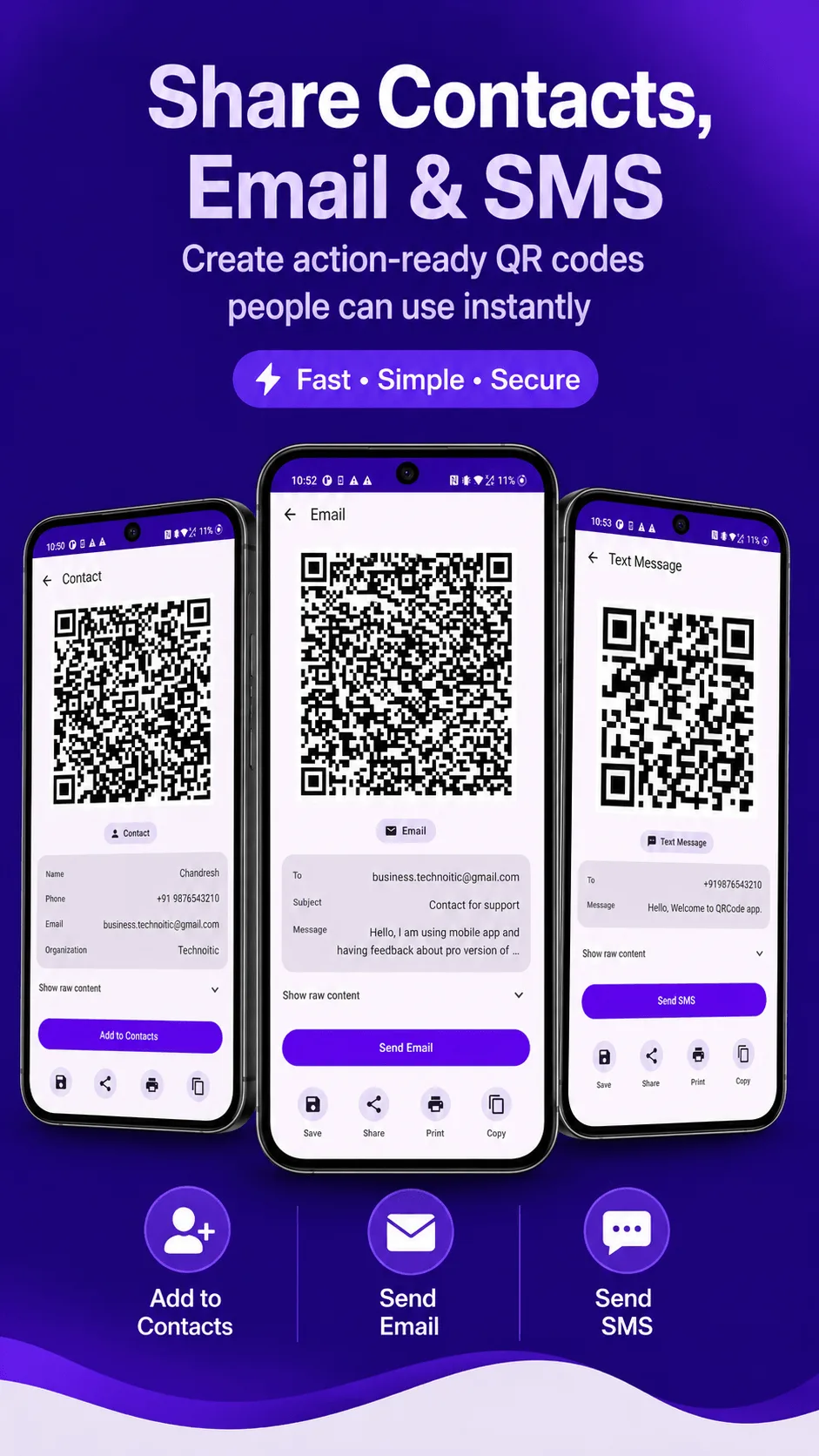
A QR code business card - technically a vCard QR code - saves your name, phone number, email, and company directly into someone's Contacts app the moment they scan it. No typing a number into a new contact, no "just text me so I have your number."
Why vCard, not a plain text or URL code
You could make a QR code that just contains your phone number as text, but the person scanning it would still have to manually create a new contact and paste each field in. A vCard code encodes a structured contact card instead - name, phone, email, company, and title all as separate fields - so most phones offer to save it as a contact directly, in one tap.
Generating one
- Open QRcode and tap Create.
- Choose the Contact content type.
- Fill in your name, phone number, email, and (optionally) company and job title.
- Tap Generate.
The result is a standard vCard QR code, readable by any scanner - the person on the other end doesn't need QRcode installed to use it.
Where it's actually useful
- On a printed or digital business card, alongside your printed details, for anyone who'd rather scan than manually type.
- In an email signature, as a small embedded image - useful for people you're emailing for the first time.
- At a conference or networking event, saved on your phone's lock screen or a wallet app, so you can pull it up in one tap instead of manually reading out a number.
- On a name badge, especially for events with a lot of one-off introductions.
Only include what you're comfortable sharing publicly - anyone who scans the code gets whatever fields you filled in, with no way to limit who scans it. For a business card use case that's usually fine; for anything more private, leave those fields blank.
Get QRcode
Scan and generate any QR code or barcode, 100% offline. Free to download, no account required.
- 100% offline
- No account needed
- Free to start

FAQ
Will this work on both Android and iPhone? Yes - vCard is a standard format, and both platforms' native camera/contacts apps recognize it.
Can I update it later if my number changes? No - like any QR code, it's fixed at the moment you generate it. If your details change, generate a new code and replace the old one (on your card, signature, or badge).
Does this need an internet connection? No - QRcode generates the code entirely offline, and scanning it doesn't require a connection either.